


A companion
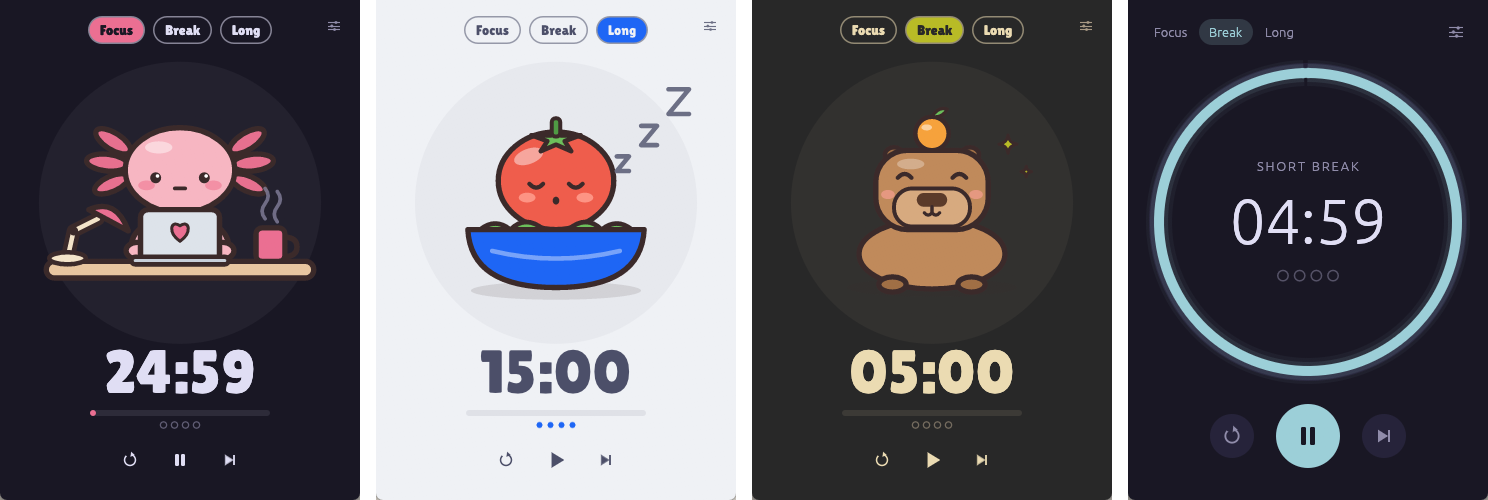
An axolotl, a capybara or a tomato that waves, works, relaxes and naps with you. Or draw your own as SVG.
Try it here
Focus for 25 minutes, rest for 5. Pomolotl keeps time from your system tray, and its companion works and rests with you.
See what it does
Features
Everything a Pomodoro timer needs, nothing it doesn't.
Configuration guideAn axolotl, a capybara or a tomato that waves, works, relaxes and naps with you. Or draw your own as SVG.
A tiny always-on-top window with the time left. Put it in any corner, at any size.
Close the window and the timer keeps going. A sound and a notification tell you when it's time.
Themes, layouts, sounds, shortcuts and durations. Everything lives in one config.toml you can edit live (guide).
0% CPU when paused, about 12 MB of memory open and 7 MB in the tray.
A roomy, searchable settings window with every option explained in plain words. Changes show up live.
Restarted your computer mid-session? It resumes. And it counts your focus time per day.
Keys inside the app, plus pomolotl --toggle and friends to bind global shortcuts.
No account, no telemetry, no ads. Your data stays on your computer.
Floating timer
Turn on the floating timer and a little window stays in a corner of your screen, on top of everything: time left, phase and your companion. It keeps going while Pomolotl hides in the tray.
Try it: drag it around, pull its corner to resize it. In the app: the M key, the tray menu or pomolotl --mini.
Windows · Linux · macOS
Free forever. Pick your system.
Click Next until the end; no admin password needed. If you see "Windows protected your PC", click More info → Run anyway (the installer isn't signed yet).
Portable version (.zip)Double-click it, or sudo apt install ./pomolotl-linux-amd64.deb. On GNOME, the AppIndicator extension shows the tray icon.
Drag Pomolotl into Applications. The first time, right-click it → Open → Open (it isn't notarized by Apple).
FAQ
Yes. It's free and open source (MIT license): no ads, no account, no paid version, no trial.
Yes. Use the installer (no admin password needed) or the portable .zip. There are also versions for Linux (.deb and .tar.gz) and macOS (Apple Silicon and Intel).
Yes. Turn on the floating timer: a small window that stays on top of other apps, in any corner and at any size. Pomolotl can also hide in the system tray, where its icon shows the progress.
Yes. Focus, short break, long break and the number of sessions before the long break are all adjustable (50/10, for example). Breaks and focus can also start by themselves.
Yes. Pomolotl doesn't need the internet. The only connection is an optional once-a-day check for new versions, which you can turn off.
No. It uses 0% CPU while paused and about 12 MB of memory with the window open (7 MB in the tray).
Yes. Space starts and pauses, S skips, R restarts and M shows the floating timer; every key can be changed. For shortcuts that work in any app, bind pomolotl --toggle to a key in your system (how).
The installer isn't digitally signed yet: certificates cost money and Pomolotl is a free hobby project. Click More info → Run anyway. The source code is public and every release is built from it by GitHub Actions.
A way to work in short, focused bursts: 25 minutes of focus, a 5-minute break, and a longer break after 4 sessions. It makes it easier to start, to stay focused and to rest before you get tired.
Pomolotl has no accounts, no telemetry and no ads. Your settings, statistics and session stay on your computer.
The only network request is the update check: once a day Pomolotl asks GitHub's public API (api.github.com) for the number of the latest version. Nothing about you is sent; GitHub sees a normal web request (see GitHub's privacy statement). It never downloads or installs anything by itself. Turn it off in the settings, with check_updates = false, or in the Windows installer.